
Spectating & takeover
When another operator is already working with a device, you are not locked out: you can watch the session, and take over if needed.
When you try to open a busy device, the app shows who is in control and since when, and offers a choice:
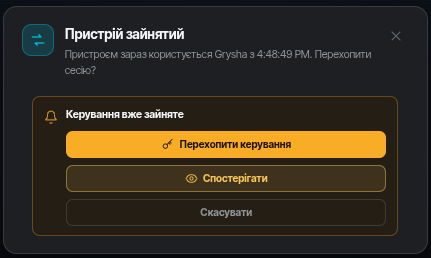
Spectator mode
Click Watch:
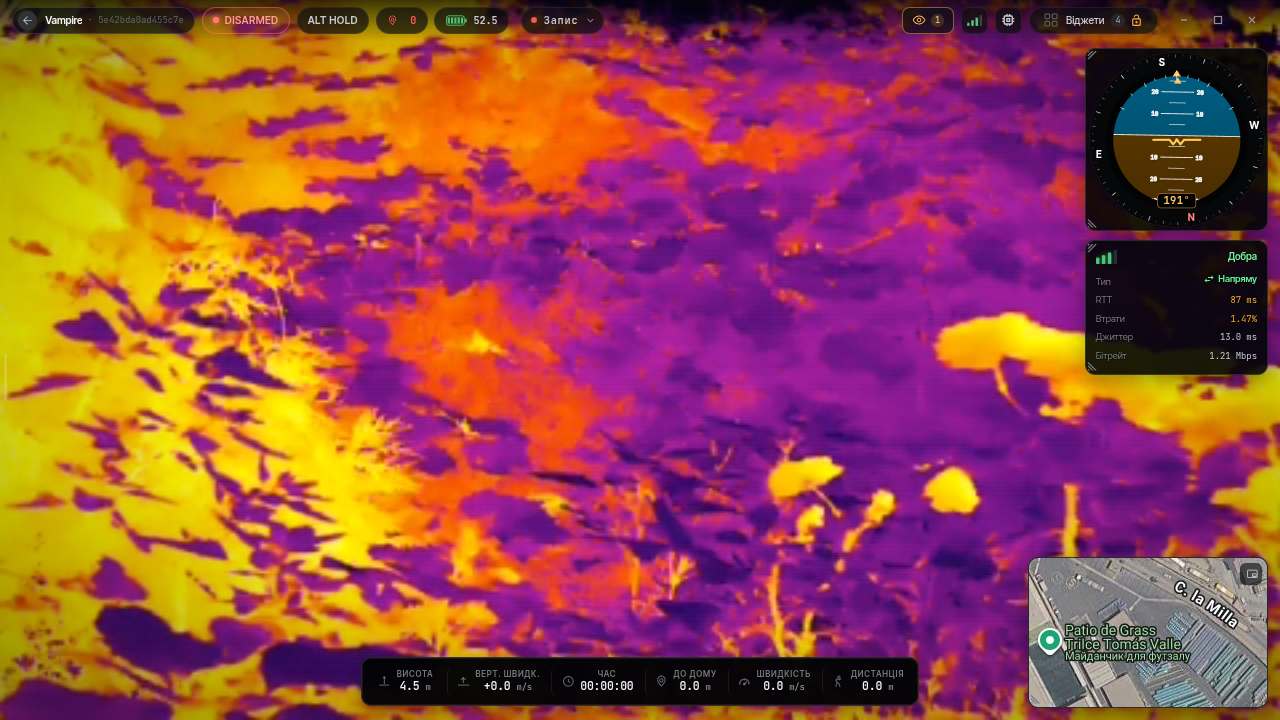
- you see the same broadcast as the operator (all video streams — you can switch between feeds);
- a spectator connects to the cloud, not to the device: the server distributes the broadcast, so viewers do not load the vehicle's link and have no effect on the operator's connection quality;
- control is unavailable — it is view-only;
- the operator sees a session viewers counter, and you see the 👁 indicator in the top bar.
Taking over control
If you need control yourself, click Take over control:
- the app warns you who is controlling now and for how long;
- after confirmation control passes to you, and the previous operator gets a notification that their session was taken over.
WARNING
A take-over instantly cuts the previous operator's control — coordinate by voice if the vehicle is moving.