Gimbal
Camera gimbal control from the remote.
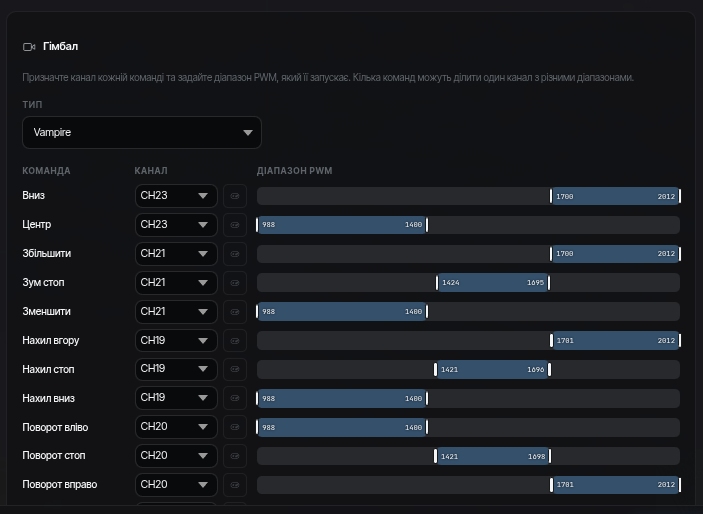
Each gimbal action (up/down, left/right, centering, zoom) is bound to an RC channel and a value range of that channel:
- Add a binding: pick a gimbal command.
- Specify the RC channel and the range (for example, "channel 6, from 1700 to 2000" — the command fires when the switch is in the upper position).
- For commands that should repeat while the channel stays in range (for example, rotation), enable repeat and set the interval.
Several commands with different ranges can share one channel — for example, a three-position switch = three commands.